Compare Tracking Time and StayFocusd: Which Extension is the Best?
Tracking Time is a tool for managing tasks and projects with ease. It offers strong integrations and reporting with few functions and many bugs, which lowers the rating. | StayFocusd helps you block distracting websites with customizable time limits, nuclear mode, and smart scheduling. We tested this 600K+ user extension to see if it really boosts productivity. | |
| Key Features A summary of the most important features offered by each extension. |
| • Website Time Limits: Set daily time limits for specific websites to control your usage • Nuclear Option: Block all websites except those on your allowed list for a set period • Customizable Blocking: Block entire sites, specific pages, or even in-page content like videos and images • Active Days/Hours: Define specific days and times when restrictions apply • Require Challenge: Enable a typing challenge to prevent easy changes to settings • YouTube Shorts Blocker: Block distracting components on YouTube, including shorts, comments, and recommendations • Usage Analytics: Get detailed statistics about your daily website usage • Cross-Device Sync: Connect Android devices and other browsers to sync usage limits |
| Our Rating Tooltivity's expert review score for each extension, based on hands-on testing and research. | 7.6 | 8.5 Winner in this category |
| Total users Total active users across all major browsers: Chrome, Edge, Firefox, and Safari. | 32,196 | 618,057 Winner in this category |
| Total ratings Total number of user ratings received across all supported browsers. | 158 | 8,486 Winner in this category |
| Average rating Average user rating across all browsers, calculated from available store ratings. | 3.4 ⭐ | 4.7 ⭐ Winner in this category |
| Entry Level Price The minimum price required to start using the extension. "Free" means a free tier is available. | Free | Free |
| Chrome User rating and stats for the extension on Chrome browser. |  4.4 4.23 Average Chrome Web Store rating from the last 100 reviews 30.0K+Users | 4.5 4.68 Average Chrome Web Store rating from the last 100 reviews 600.0K+Users Winner in this category |
| Edge User rating and stats for the extension on Edge browser. |  3.0 3.67 Average Microsoft Edge Store rating from the last 100 reviews 1.8K+Users | 5.0 5.0 Average Microsoft Edge Store rating from the last 100 reviews 18.1K+Users Winner in this category |
| Firefox User rating and stats for the extension on Firefox browser. |  2.8 3.36 Average Mozilla Firefox Add-ons Store rating from the last 100 reviews 444Users Winner in this category | - |
| Safari User rating and stats for the extension on Safari browser. | - | - |
| Features Tooltivity's expert score for the 'Features' aspect of each extension. | 5.5 Tracking Time offers numerous functions aimed at both individual users and teams. Projects can be created for which time tracking can then be started. Detailed reports can then be output. In our tests, all these functions also worked in the Tracking Time tool. 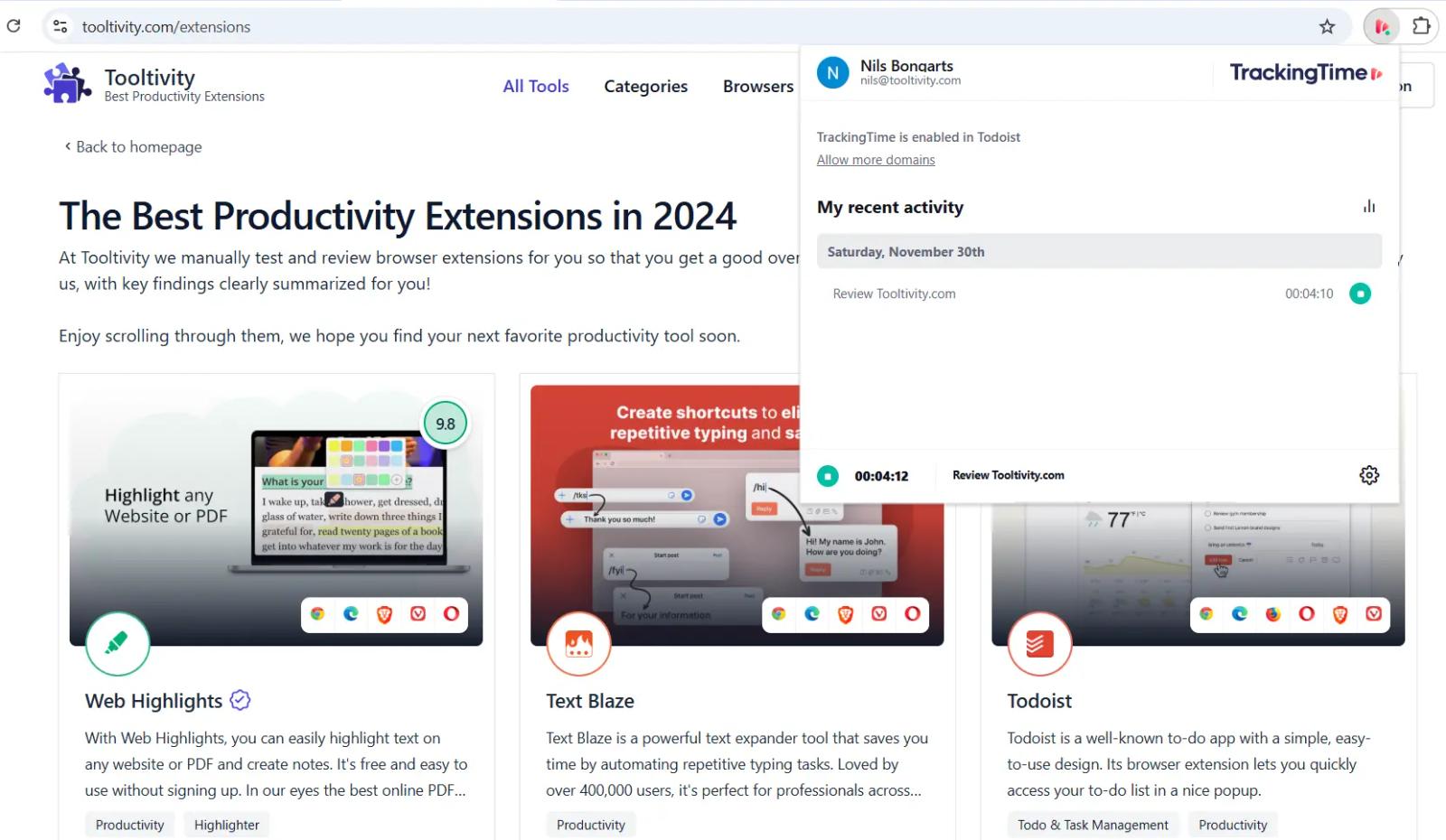
The Tracking Time extension therefore has great potential to integrate many useful Tracking Time functions. However, the functions are currently very limited in comparison to competitors. | 8.2 StayFocusd packs a solid set of productivity features. You can flexibly set website time limits, block domains, pages, or just distracting content (like videos or images). The “nuclear option” blocks everything except your allowed sites, which is a great focus booster. YouTube blocking targets shorts and recommendations, and usage analytics help you spot your browsing patterns. Cross-device sync is handy, though some advanced controls could be improved. Winner in this category |
| Performance Tooltivity's expert score for the 'Performance' aspect of each extension. | 8.0 In general, Tracking Time works reliably, but in reviews some users have reported occasional slowdowns, especially when processing large data sets. Regular updates and optimizations could help improve performance consistency. | 8.4 The extension is lightweight and responsive, without slowing your browser. Features work reliably, and time limits activate quickly. Minor lags occur in the analytics dashboard and cross-device sync, but overall, performance is smooth and stable for day-to-day use. Winner in this category |
| Design Tooltivity's expert score for the 'Design' aspect of each extension. | 8.0 The design of Tracking Time is clean and modern and makes it easy to navigate. The dashboard on the website is well organized and you get an instant overview of your times. There are still improvements to be made in terms of customization options such as layouts. | 8.3 The interface is simple and minimalist, sticking to productivity basics. Settings are well-organized and easy to navigate, with clear controls and indicators. While functional and easy to use, the look is a little dated and the analytics dashboard could be more engaging. It’s practical but not stylish. Winner in this category |
| Value for Money Tooltivity's expert score for the 'Value for Money' aspect of each extension. | 8.0 The web extension is free of charge. However, it should be noted that it offers only a few functions. Other competitors offer considerably more functions for their free extensions. If you only use the extension in addition to Tracking Time and consider all functions in the price-performance ratio, it is competitive. In particular, the free plan already offers sufficient features for most people. | 9.5 All features are free—no ads, paywalls, or premium tiers. The feature set rivals paid competitors and includes regular updates. There’s great value for anyone seeking basic to moderate website blocking, though free tools like this sometimes lack advanced paid support. Winner in this category |
| Ease of Use Tooltivity's expert score for the 'Ease of Use' aspect of each extension. | 7.0 Although the tool is generally easy to use on the website, there are problems with the basic functions of the extension. In the test, we started a time recording on the website and stopped it later via the extension. When we wanted to start a new task, it took us a while to understand the principle that only tasks that had already been created could be restarted. This is not an intuitive function, which is why users might be annoyed right from the start. | 8.5 Set up is fast and all main functions are accessible with just a few clicks. Adding sites or setting limits is straightforward, and tooltips help if you need them. The nuclear option and challenge features are easy to use but offer enough resistance to accidental changes. Mobile integration is available, though setup there could be smoother. It’s user-friendly with almost no learning curve. Winner in this category |
| Security & Privacy Tooltivity's expert score for the 'Security & Privacy' aspect of each extension. | 9.0 Tracking Time uses basic security measures to protect user data. Encryption and regular updates ensure the integrity of the data. In our research, most of this could be read in the privacy policies, but a little more transparency in the handling of user data would still be an advantage, as this is stored online. Winner in this category | 7.9 StayFocusd runs mostly on your device and collects very little personal data. The privacy policy is transparent, and data for analytics is anonymized. The extension only requests required permissions, though some users may still worry about the broad “read and change all your data” permission. No tracking cookies or web beacons are used. |
| Conclusion A summary of our findings and final thoughts for each extension. | Tracking Time is a tool for anyone who wants to improve their time management. The design is very intuitive, but unfortunately, the extension has hardly any functions. The extension is useful for anyone who uses Tracking Time, but anyone looking for a good extension for time tracking will not find it here. | StayFocusd delivers on its promise to help you stay focused, but it's not a magic solution. We found it most effective when combined with genuine motivation to be more productive. The extension works best for people who want to reduce mindless browsing but still need occasional access to social media or entertainment sites. The free price tag makes StayFocusd an easy recommendation for anyone struggling with online distractions. While it won't solve deep productivity issues, it creates enough friction to make you more conscious of your browsing habits. The nuclear option is particularly useful for intense work sessions, and the customizable blocking options give you fine-grained control over your digital environment. If you're serious about improving your focus and don't mind the occasional frustration when you hit a time limit, StayFocusd is worth trying. Just remember that the most important part of any productivity tool is actually wanting to be more productive. |
| Our Recommendation | In our comparison between Tracking Time and StayFocusd, StayFocusd came out on top, scoring 8.5. StayFocusd is the most widely used, with over 618k users and 8k+ reviews—and it also delivered the strongest performance in our tests. User reviews reflect our findings. Notably, StayFocusd has the highest user rating in the Chrome Web Store at 4.73, which supports its strong performance in our review. There are some noticeable differences between these extensions, so it's worth considering your priorities and the details below.
If you want a quick recommendation, StayFocusd is our top pick. But as always, the best choice depends on what matters most to you. | |

