Compare Browsec VPN, Hola VPN, and Urban VPN Proxy: Which Extension is the Best?
Browsec VPN works without registration and unblocks common sites. The free tier is slower and limited in locations, but fine for light tasks. Premium adds faster servers and more countries. | We tested Hola VPN to unblock sites and streaming. It’s easy and fast for geo‑access, but the free plan has time limits and privacy trade‑offs. Premium is smoother, yet pricey for what you get. | Urban VPN Proxy offers a free VPN service with additional integrated functions such as adblocking. There are only concerns about the comprehensive data collection. | |
| Key Features A summary of the most important features offered by each extension. |
|
|
|
| Our Rating Tooltivity's expert review score for each extension, based on hands-on testing and research. | 8.2 Winner in this category | 7.5 | 7.4 |
| Total users Total active users across all major browsers: Chrome, Edge, Firefox, and Safari. | 9,478,366 Winner in this category | 5,326,929 | 7,484,003 |
| Total ratings Total number of user ratings received across all supported browsers. | 44,118 | 368,372 Winner in this category | 61,461 |
| Average rating Average user rating across all browsers, calculated from available store ratings. | 4.0 ⭐ | 4.3 ⭐ | 4.4 ⭐ Winner in this category |
| Entry Level Price The minimum price required to start using the extension. "Free" means a free tier is available. | Free | Free | Free |
| Chrome User rating and stats for the extension on Chrome browser. |  4.4 4.21 Average Chrome Web Store rating from the last 100 reviews 7.0M+Users | 4.8 3.30 Average Chrome Web Store rating from the last 100 reviews 5.0M+Users Winner in this category | 4.7 4.35 Average Chrome Web Store rating from the last 100 reviews 6.0M+Users |
| Edge User rating and stats for the extension on Edge browser. |  3.8 4.69 Average Microsoft Edge Store rating from the last 100 reviews 1.5M+Users | 3.7 4.02 Average Microsoft Edge Store rating from the last 100 reviews 326.9K+Users | 4.4 4.66 Average Microsoft Edge Store rating from the last 100 reviews 1.3M+Users Winner in this category |
| Firefox User rating and stats for the extension on Firefox browser. |  3.9 4.00 Average Mozilla Firefox Add-ons Store rating from the last 100 reviews 496.0K+Users | - | 4.2 3.86 Average Mozilla Firefox Add-ons Store rating from the last 100 reviews 154.7K+Users Winner in this category |
| Safari User rating and stats for the extension on Safari browser. | - | - | - |
| Features Tooltivity's expert score for the 'Features' aspect of each extension. | 8.0 Browsecs' smart settings for each website are really useful for controlling when the VPN is used or bypassed. The selection of locations is limited in the free version, but is significantly expanded in the premium version and includes around 46 countries. Premium extras such as time zone spoofing and faster servers help with region adjustment and speed-dependent tasks. We were pleasantly surprised to find that you can disable the display of promotional offers in the settings. 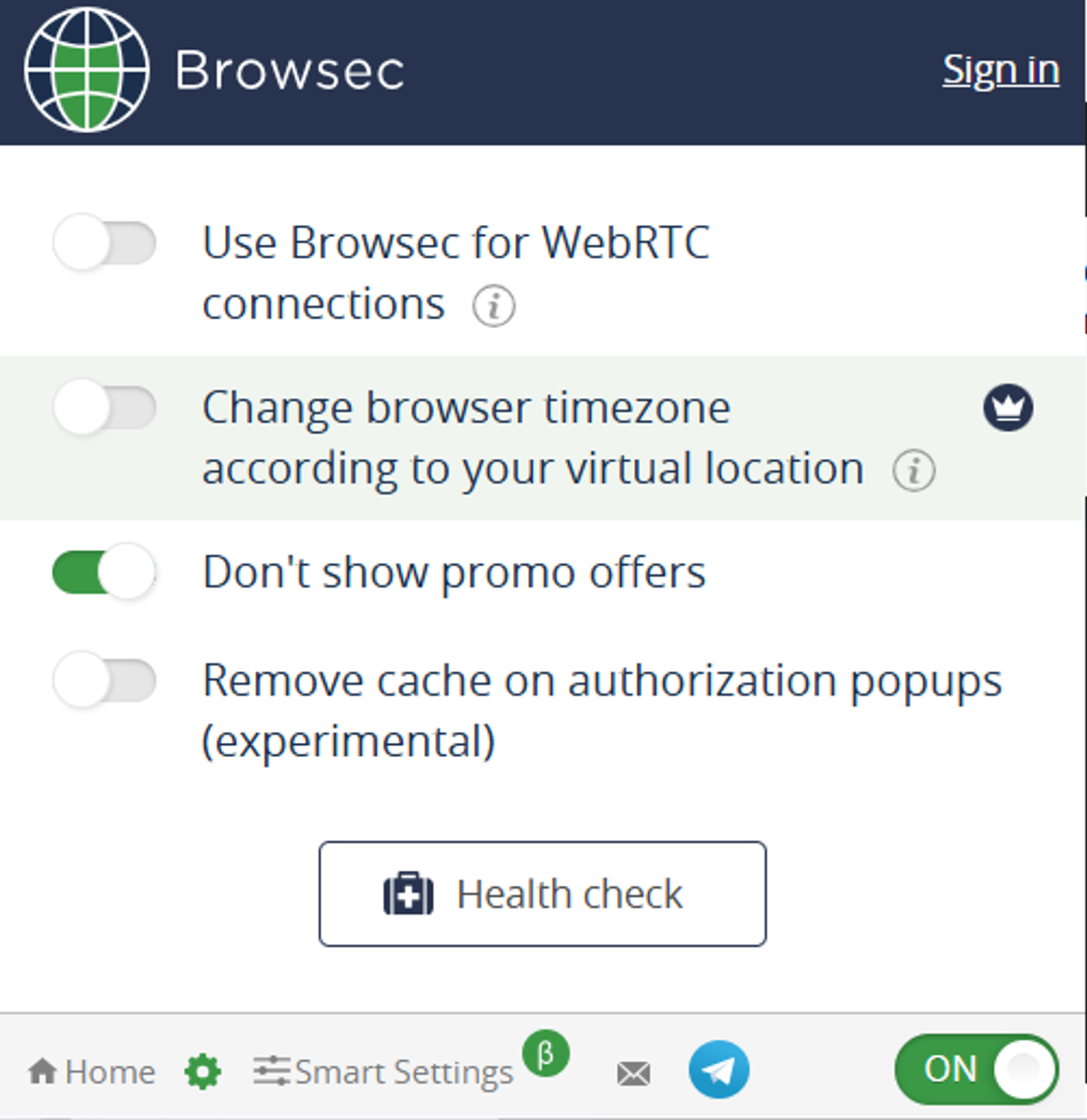 Although it covers the basics well, it lacks some of the advanced control options that power users would expect. Winner in this category | 8.0 Hola VPN standout strength is geo‑unblocking: in our tests, it opened regional libraries on major platforms after a few reconnects when needed. Per‑tab routing is genuinely useful—being able to set different countries for different tabs keeps workflows simple when you need multi‑region access at once. Premium’s allowance of up to 10 devices is generous for households and multi‑device users, and removing time limits meaningfully improves everyday use. Depth is where Hola lags; there’s no kill switch, no WireGuard or OpenVPN option, no ad/malware blocking, and no multi‑hop—features many competitors include by default. Winner in this category | 8.0 Several features are included in the free Urban VPN Proxy. The most obvious is IP address masking, which allows VPN access to servers in over 80 countries. 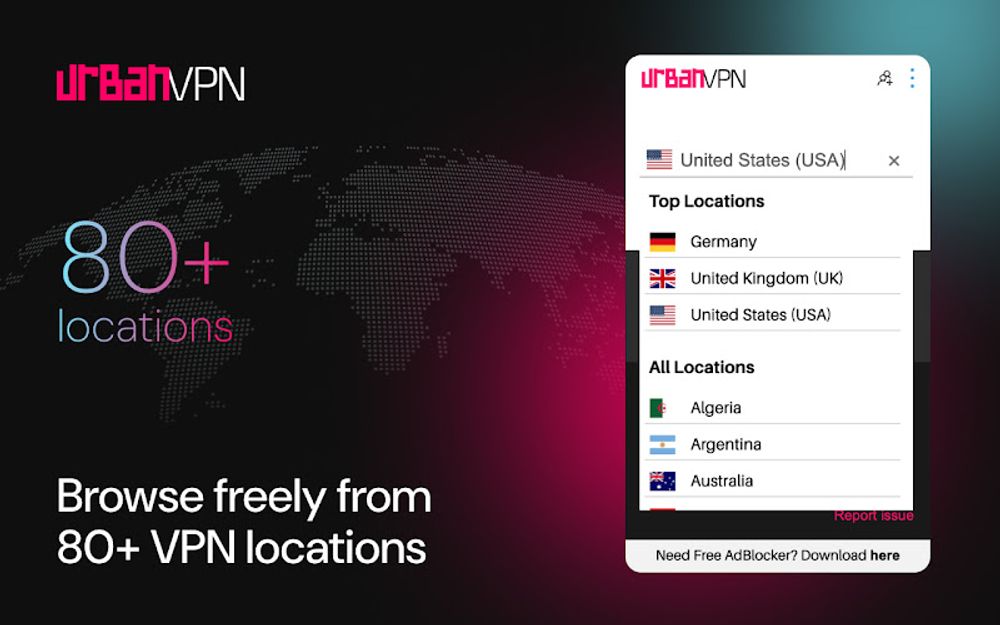 An adblocking function is also integrated as an add-on, which reduces unwanted advertising while surfing and also protects against mining websites. 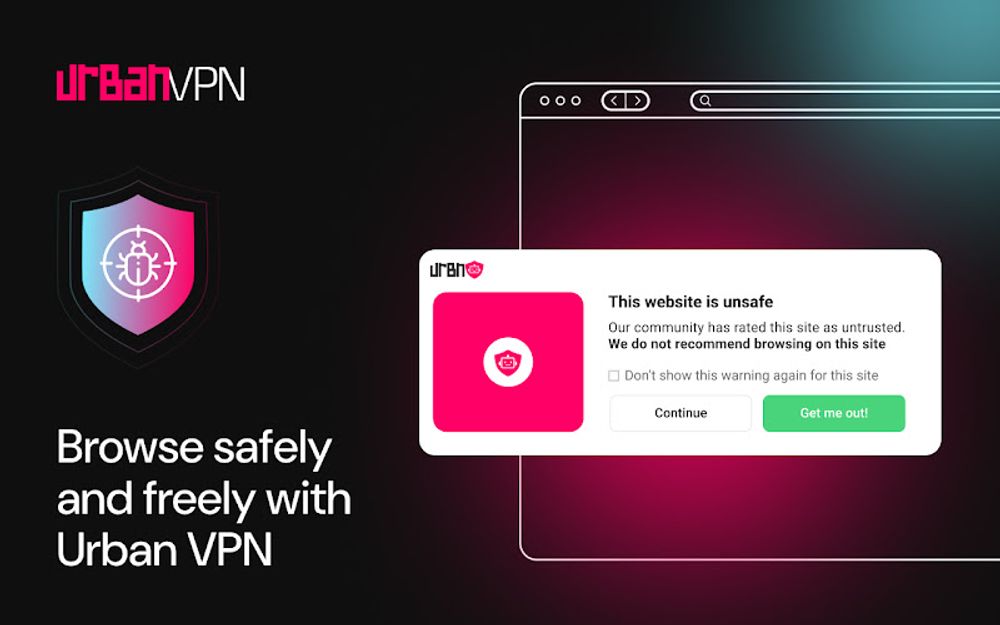 However, advanced security features such as a kill switch or multi-hop connections, which are available in some premium VPNs, are missing here, probably due to the free version. Winner in this category |
| Performance Tooltivity's expert score for the 'Performance' aspect of each extension. | 7.6 Connections usually establish quickly, and region switches are smooth. Free speeds can be slow but are acceptable for reading, messaging, and basic media. Premium servers feel faster and more consistent, improving page loads and stability. Performance varies by server choice and network conditions, and in some regions with strict blocking, reliability can fluctuate. | 7.9 Speeds were good enough for HD streaming in many regions, though not top‑tier versus leading competitors. Stability varied by country and time of day; reconnecting typically resolved buffering or access hiccups. Availability can be limited in some regions due to external restrictions, which may temporarily impact reliability. Winner in this category | 5.5 The performance of Urban VPN Proxy was good at the beginning of the tests, the connection speed and server availability were also okay, but could be even better in our tests. Especially at peak times, when the server load is high, you notice a sharp drop in speed. |
| Design Tooltivity's expert score for the 'Design' aspect of each extension. | 8.4 The interface centers on a clear toggle and a simple country picker, so it’s easy to understand at a glance. Status states are obvious, and switching regions takes only a couple of clicks. The layout avoids clutter, keeping important actions near the surface. Labels and flows are intuitive even for non-technical users. Some users report occasional prompts or pop-ups that can interrupt the experience. Winner in this category | 8.0 The interface is clean, with a clear connect button and country picker that make first‑time use straightforward. Per‑tab controls are intuitive in the extension, with obvious feedback when a tab is routed through a different location. Status indicators are easy to read, and switching countries is quick without diving into dense settings. One caveat: behavior differs between the extension (tab‑level) and desktop app (system‑level), which can confuse new users until they understand the default scope. | 8.0 The design of Urban VPN Proxy is clear and simple. Every user is immediately shown the basic functions and these can be switched on and off directly as required. |
| Value for Money Tooltivity's expert score for the 'Value for Money' aspect of each extension. | 8.3 The free plan is actually usable for light tasks, which is rare and appreciated. The annual and two-year plans offer competitive monthly pricing versus similar browser VPNs. Premium meaningfully improves the experience with faster servers and many more locations. For casual to moderate browser use, it’s a good deal; heavy streamers or torrenters may prefer full desktop VPNs. Occasional slowdowns on the free tier can affect perceived value for some users. Winner in this category | 7.5 The free tier is genuinely useful for occasional unblocking despite time limits, making it an easy try‑before‑you‑buy option. Premium improves speed, removes time limits, and adds multi‑device support, but pricing is higher than rivals that also deliver stronger privacy and more features. Long‑term plans look cheap per month, but require big upfront payments and commitment. Support is mostly form‑based without the richer help channels common at similar or lower prices, which affects perceived value. | 8.0 Urban VPN Proxy is free and has a good price-performance ratio. With access to over 530 servers without a subscription fee, it's perfect for any basic user. You also get additional functions such as adblocking for free. However, it should be noted and clear to everyone that you “pay” for the use by saving your tracked data through the extension. |
| Ease of Use Tooltivity's expert score for the 'Ease of Use' aspect of each extension. | 9.0 Installation is quick, and connecting takes seconds with no signup required on the free tier. The learning curve is minimal thanks to straightforward settings and a clean layout. Region switching is fast and reliable for general browsing. Smart Settings are easy to configure and remember, making per-site behavior hassle-free. Overall, it’s one of the most approachable browser VPNs for beginners. Winner in this category | 8.6 The Installation is quick, and you can test without setting up an account on the extension. The learning curve is minimal—click to connect, pick a country, and browse. Troubleshooting flows like “No, fix it” help refresh a stuck connection. Country switching is fast, and per‑tab routing keeps things flexible for casual streaming and site access. A quirk worth noting: on the free plan, sessions can stop or reset with navigation if you expect app‑wide coverage—using the desktop app helps when you want persistent browser‑wide unblocking. | 9.0 Urban VPN Proxy is a very easy-to-use tool overall. The installation process is quick and uncomplicated, and you can start establishing a VPN connection immediately after installation. Every user should have no problems with it, only the performance problems can cause some users to despair. Winner in this category |
| Security & Privacy Tooltivity's expert score for the 'Security & Privacy' aspect of each extension. | 7.8 Browsec encrypts browser traffic and is helpful on public Wi‑Fi or untrusted networks. It states it does not sell data and limits use to core functionality, which is good to see. Accounts can be anonymous IDs with optional email, and operational data is recorded when the service is active for performance monitoring. As a browser extension, protection is limited to the browser and isn’t system-wide. We didn’t find independent audits or strong transparency reports, so privacy assurances rely on the policy. Winner in this category | 3.5 Hola’s policy includes collecting IP and usage logs retained for up to 12 months, which won’t suit privacy‑focused users. Protocol support is limited; it can fall back to older protocols and lacks modern options like WireGuard/OpenVPN and a kill switch. There’s an inconsistency between marketing claims and the breadth of data collection disclosed in policy documents—another red flag for privacy purists. The historic peer‑to‑peer approach for free users and lack of third‑party no‑logs audits further reduce our confidence for sensitive use cases. | 6.0 Urban VPN Proxy offers basic encryption according to OpenVPN standards. Due to the VPN function, you initially browse the websites anonymously. At the same time, however, the service collects precisely this web browsing data for itself. The data is collected in an anonymized format. The browser extension also lacks a clear no-logs policy and other advanced security functions, which also affects the rating in this category. |
| Conclusion A summary of our findings and final thoughts for each extension. | If you want a quick way to unblock sites or add a basic privacy layer, Browsec’s free tier is a friendly starting point. The one-click setup and no-registration flow make it accessible for anyone. If you need more locations and steadier speed, premium is reasonably priced and delivers a noticeable upgrade. Still, think of Browsec as a convenient browser VPN, not a full system-wide solution. Overall, we like Browsec for what it is: simple, approachable, and honest about its scope. It’s not the fastest, but for light everyday use, it works well. | If you mainly need quick, hassle‑free access to geo‑blocked sites, Hola is effective and very easy to use. Per‑tab country control is handy, and we could reach major streaming sites after a few retries when needed. The trade‑off is privacy. Hola’s policy includes IP and usage logging (retained up to 12 months) and a history of a peer‑to‑peer model for free users. That’s a deal‑breaker if you want strict anonymity or advanced security features. We recommend Hola as a lightweight unblocking tool, especially for casual streaming on a budget. For stronger privacy, deeper features, and more consistent speeds, consider Surfshark, Proton VPN, or NordVPN. | Urban VPN Proxy is a perfect choice for those looking for a free VPN service with basic features.
|
| Our Recommendation | In our comparison between Browsec VPN, Hola VPN, and Urban VPN Proxy, Browsec VPN came out on top, scoring 8.2. Browsec VPN is the most widely used, with over 9 million users and 44k+ reviews—and it also delivered the strongest performance in our tests. User reviews for Browsec VPN reflect our findings, while we rate Hola VPN and Urban VPN Proxy lower than users do. Notably, Urban VPN Proxy has the highest user rating in the Chrome Web Store at 4.44, which is even higher than our rating of 7.4. There are some noticeable differences between these extensions, so it's worth considering your priorities and the details below.
If you want a quick recommendation, Browsec VPN is our top pick. But as always, the best choice depends on what matters most to you. | ||


